


Mailreef gives you a dedicated server and a dedicated IP, which is more than most providers offer. But a single server with a single IP means zero diversification. If that IP gets flagged, everything burns together.
I evaluated 5 Mailreef alternatives based on infrastructure isolation, deliverability support, and what you’ll actually pay once the per-send fees and server caps add up.
Last updated: March 2026
Tl;dr
Top 5 Mailreef Alternatives
| Tool | Best For | Dedicated IPs | Managed Warmup | Deliverability Monitoring | G2 Rating | Starting Price |
| Aerosend | Deliverability-first teams | ✓ Aged, isolated per 10 domains | ✓ ESP-specific, included | ✓ Biweekly IPTs + burn detection | 4.9/5 | $120/mo |
| Maildoso | Volume at low per-inbox cost | ✗ Shared pool, auto-rotated | ⚠ Add-on ($5/mailbox extra) | ⚠ Every-3-day IPTs, no proactive | 4.6/5 (157) | $75/mo |
| Mailscale | Budget entry point with trial | ✗ Shared (dedicated at $1,000+/mo) | ✗ Third-party required | ✗ None on standard plans | 4.8/5 (57) | $79/mo |
| Hypertide | Cheapest dedicated infra | ✓ Dedicated Azure tenant per order | ⚠ Bulk settings tools only | ✗ None | No reviews | $50/mo + $1,500 setup |
| Mailforge | Cheapest per-slot at volume | ✗ Shared/rotating | ✗ Warmforge is separate ($10/slot) | ✗ None | 4.7/5 (81) | $2.50/slot (yearly) |
Best Mailreef Alternatives: Master Comparison Table
Jump to: 1. Aerosend | 2. Maildoso | 3. Mailscale | 4. Hypertide | 5. Mailforge
Where Mailreef Falls Short
Mailreef gives you a dedicated server with a dedicated IP, auto-configured DNS, and unlimited mailbox creation. It sends 100M+ emails per month across its customer base. However, dedicated infrastructure and managed deliverability are two very different things. Mailreef only solves the first one.
Single Server, Single Point of Failure
Most email infrastructure providers follow the model approach. They isolate every 10 domains on a separate infrastructure, so one bad campaign doesn’t take down everything else.
Mailreef provisions one dedicated server with one dedicated IP per customer. This means all your domains, mailboxes and campaigns run through the same infrastructure. If that one IP gets flagged, all your mailboxes go down together. Additionally, there are no domain groups or isolation between clients. This is a serious risk to your deliverability.
“Mailreef gets mixed reviews lately, some swear by it and others say deliverability tanked.” — r/coldemail
“Pre-Warmed” Without a Transparent Process
Mailreef claims to sell pre-warmed servers, domains, and mailboxes. However, there’s no documentation on warmup methodology, duration, volume ramp, or how they verify warmup is complete. This lack of visibility makes it seem like a gimmicky marketing claim.
You will need a separate warmup tool, like Smartlead’s built-in warmup or a standalone service, which adds to the cost and complexity.
“Unlimited” Mailboxes That Cap at 200
Mailreef boasts ‘unlimited free inboxes’ but caps them at 150 per server. The cost of one server starts at $240 and Mailreef charges you 1 cent for every send, too.
If you want to scale your outreach to over 150-200 mailboxes, you will essentially require a brand new server, which will cost you another $240 at least. This can be an expensive affair.
No Deliverability Monitoring After Setup
Mailreef does not provide ongoing deliverability monitoring after initial setup. There is no inbox placement testing, health scoring, burn detection, or proactive IP rotation in place. As a result, there are no meaningful systems to assess or mitigate deliverability risk.
Your infrastructure is not actively monitored, and no intervention occurs if deliverability begins to degrade. In practice, this means you are solely responsible for keeping deliverability in check.
“Tested it for maybe 6 weeks. Honestly didn’t love it. Setup was fine but I had inconsistent deliverability across accounts.” — r/coldemail
What you’re giving up with Mailreef:
- Single server and IP with zero diversification
- No transparent warmup process
- “Unlimited” capped at 50 domains, 200 mailboxes, 100K emails per server
- No automated monitoring, inbox placement tests, or burn detection
- $0.001 per send on top of base price. 100K emails adds $100/month
- Zero verified reviews on G2, Capterra, or Trustpilot as of March 2026
- Application-only access with 2-3 day approval wait
These gaps hurt most for agencies and teams sending at scale. If you’re running 100+ inboxes, you need someone watching your infrastructure. If you want to see where your current setup stands, try Aerosend’s free domain variation generator to plan your next batch of sending domains.
How I Compared These Mailreef Competitors
I compared Mailreef with its competitors based on four very important criteria that matter most for cold email infrastructure. If Zapmail is on your radar, see our best Zapmail alternatives breakdown.
Deliverability Ownership
Your provider should monitor inbox placement, detect domain burn, and intervene before performance drops. Most providers just provide inboxes and leave you to figure out deliverability on your own.
Infrastructure Isolation
It is very important to check whether you’re on shared IPs with thousands of other senders or dedicated infra. Even with a dedicated email infrastructure, there needs to be diversification across domain groups, and everything should not be on one server.
Warmup and Onboarding
Is warmup included and managed, or do you need a separate tool? How transparent is the process?
Pricing Transparency
There are other costs and fees, such as per-send fees, domain costs, server caps, setup fees, and warmup add-ons, that you need to factor in before making a decision. Per-inbox pricing means nothing without context about sending capacity.
Full disclosure: Aerosend is my company. I’ve tried to be fair in this comparison, but you should know that going in. I’ve included honest pros and cons for every tool, including ours.
Top 5 Mailreef Alternatives 2026
1. Aerosend: Managed Deliverability, Not Just Managed Inboxes
G2: 4.9/5

Aerosend pricing: $120/mo for 10 domains, 30 mailboxes, 600-750 emails/day. Every plan includes managed warmup, biweekly IPTs, and burn detection.
We built Aerosend to solve this recurring problem of declining deliverability. We offer deliverability as a software along with inboxes. In the last year, we have prevented 3000+ domains from burning.
This is what you get:
- Biweekly inbox placement tests,
- ESP-specific managed warmup,
- Automated burn detection
- proactive IP rotation,
- monthly performance reports.
It’s a fundamentally different model.
Key Features:
- Dedicated servers and aged IPs for every 10 domains.
- Biweekly inbox placement tests for all clients using real accounts across Gmail, Outlook, and Yahoo.
- ESP-specific managed warmup tailored to your sending habits and sequencer.
- 5-metric burn detection that catches domain reputation problems before they impact your campaigns.
- Built-in automatic IP rotation that swaps IPs before they start to degrade.
- Deliverability guarantee. Aerosend guarantees it beats your current infrastructure.
- Free domain reprovisioning. If a domain burns, you don’t need to buy a new one ($12). Aerosend replaces it for free.
| Pros | Cons |
| True isolation per 10 domains. Zero mass bans across 200M+ emails sent | Higher per-mailbox cost (around $4) than budget shared-IP providers |
| Biweekly inbox placement tests and monthly reports included for every client | You bring your own domains and sequencer |
| Managed warmup tailored to your ESP, included free | Not built for solo senders with fewer than 2,000 prospects |
| 87% of flagged domains recover within 30 days | Minimum 10 domains to get started |
| Deliverability guarantee plus expert brainstorm session with founder | Best suited for teams running 30+ inboxes |
| 4.9/5 on G2 with verified reviews | Minimum 10 domains to start |
Pricing
The minimum order quantity is 10 domains. Every domain has 3 mailboxes, and each mailbox can send 20-25 emails per day for cold outreach. All your domains are hosted on dedicated IPs and servers for long-term deliverability health.
The price starts at $4 per mailbox per month and as you scale up, the rate per mailbox goes down. You start to save money on each send as you scale your outbound.
Warmup, inbox placement tests, monitoring, and reports are included in all plans. There is no per-send fee. Also, no add-on costs for deliverability services.
Who it’s best for: Agencies and B2B teams running 30 to 10,000+ inboxes who need infrastructure that actively protects deliverability.
“After trying 10 providers, I tried Aerosend.” — Alexan Zartarian, Founder, Sparklead
“Aerosend has been the only SMTP platform that has actually produced results for us.” — Grayson Faircloth, Founder, Kai Footprint
Where Aerosend doesn’t fit. If you are a one-person business or a small-volume sender (under 10 domains), there are other options on the market that will be better suited to your use case. You should start with a simpler tool and then graduate to Aerosend as you scale.
If you’re sending more than 500 emails a day, Aerosend can work perfectly here. You save up on the recurring cost of fixing issues like burned domains because we are a deliverability-first inbox provider.
Aerosend vs. Mailreef
| Feature | Mailreef | Aerosend |
| Per-mailbox cost | ~$1.25-4.00 (depends on scale + sends) | ~$3.44-4.00 |
| Infrastructure model | Single dedicated server + single IP | Dedicated servers, isolated per 10 domains |
| Deliverability guarantee | No | Yes, guarantees it beats your current infra |
| Managed warmup | Not included | ESP-specific, included free |
| Inbox placement testing | None | Biweekly for every client |
| Burn detection | None | 5-metric algorithm |
| IP rotation | None (static dedicated IP) | Proactive, before degradation |
| Monthly reports | None | Included, every client |
| Health scoring | None | Proprietary 0-100 composite score |
| Server caps | 50 domains, 200 mailboxes, 100K emails/mo per $249 server | No per-server caps |
| Per-send fee | $0.001/email on top of base | None, included in plan |
| G2 reviews | 0 reviews | 4.9/5 |
2. Maildoso: Volume and Rotation, But on Shared Rails
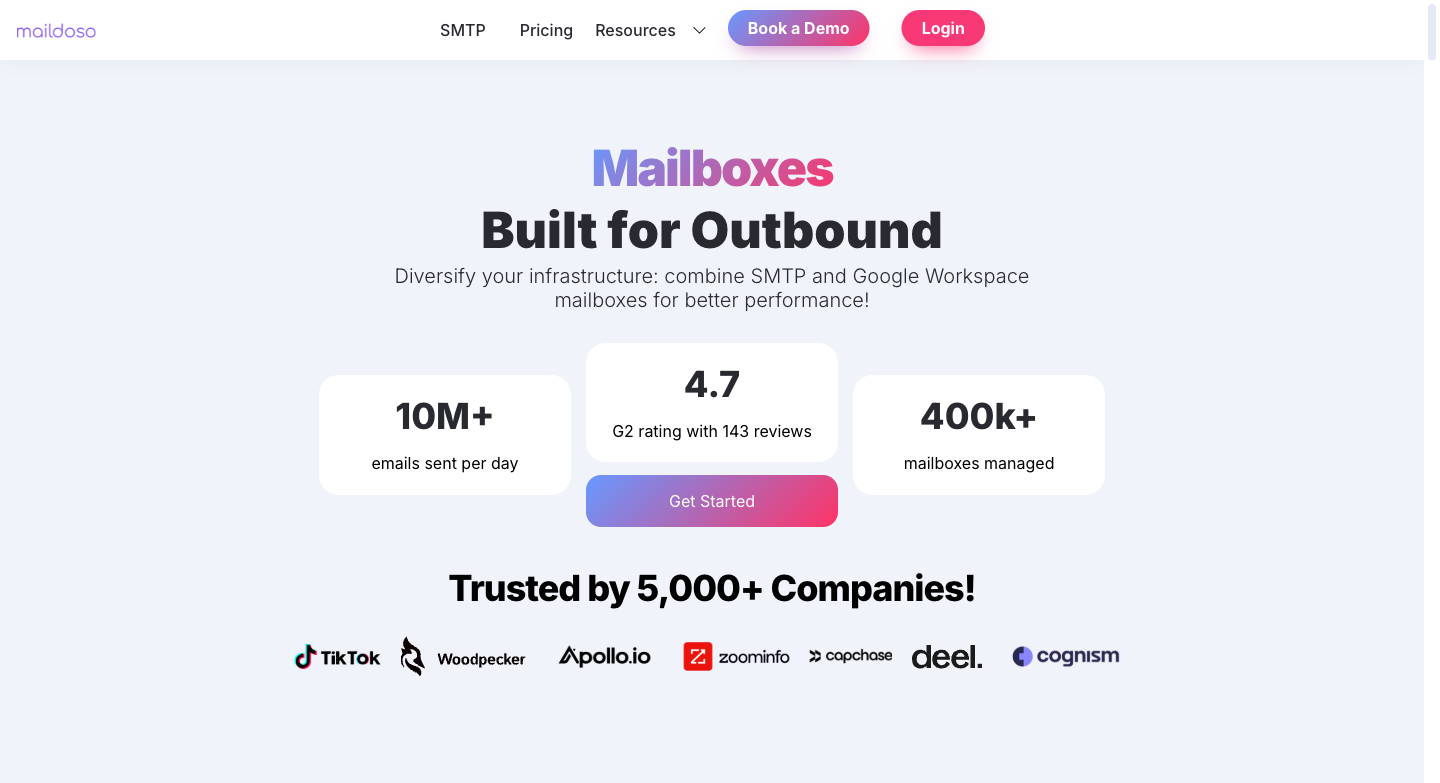
Maildoso’s centralized dashboard for managing domains and mailboxes at scale.
Maildoso started as the cold email system behind Nikita Bykadarov’s link-building agency called BacklinkSwappers in 2023. After it helped them acquire 600+ customers through cold outreach, Nikita productized it into Maildoso. Soon, Maildoso hit $5M in revenue and became a strong contender in the email infrastructure space. It provides both SMTP and Google Workspace mailboxes with IP rotation across hundreds of shared IPs.
Key Features:
- Provides SMTP + Google Workspace mailbox
- IP rotation across hundreds of shared IPs
- Burned mailboxes auto-paused for 14 days, then reactivated
- Master inbox for unified replies with warmup email filtering
- Inbox placement tests every 3 days with health scores per mailbox
- 1-click auto-connect to Sequencers
- API access + MCP integration for AI agents
- Uses CAPTCHA-protected redirect for secondary domains to avoid getting blacklisted.
| Pros | Cons |
| Strongest G2 presence in the space with 157 reviews at 4.6/5 | Shared IP pool. The founder confirmed this in a podcast. No dedicated IP option exists |
| Self-healing mailboxes auto-recover burned accounts after 14 days | Mass domain blacklisting is the most common Reddit complaint. Domains burning within 1-2 weeks |
| IP rotation pulls flagged IPs from your sending pool automatically | Background is in link building, not email deliverability |
| Google Workspace option with real per-domain isolation | Premium AI warmup costs $5/mailbox/month extra. Not included in the base price |
| Inbox placement tests every 3 days with per-mailbox health scores | Support quality drops after onboarding |
| $2.50/inbox at 30 mailboxes, drops to $0.80/inbox at 20,000 | No advanced reporting or exportable analytics |
Pricing
With Maildoso, you pay less per mailbox as you scale up. For example, Maildoso’s SMTP plans start at 30 mailboxes for $75 a month. This comes to $2.50 per mailbox and can drop to $0.80 per mailbox at very large volumes (20,000 mailboxes at $16,000 per month).
With quarterly plans, you get multiple domains free. Maildoso offers combo plans (SMTP + Google Workspace) starting at $90 per month and an optional AI warm-up add-on at $5 per mailbox per month.
Each mailbox can safely send about 15 cold emails per day, so even the smallest plan allows 450 emails a day at a very low cost per send.
Maildoso’s pricing is relatively low because it uses shared infrastructure with rotating IPs, which lowers costs but introduces another risk. Your email deliverability can be affected by others sharing the same IP pool.
Who it’s best for: High-volume teams who prioritize low per-inbox cost and can absorb occasional domain burns as a cost of doing business.
“After 20,000 test emails, the reply rate was around 2%. Maildoso email accounts were a bit cheaper to manage.” — r/coldemail
“Without warning, the domains provided by Maildoso were blacklisted, which drastically affected our email deliverability.” — r/AskMarketing
Maildoso vs. Mailreef
| Feature | Mailreef | Maildoso |
| Per-inbox cost | ~$1.25-4.00 (base + sends) | $0.80-$2.50 (volume dependent) |
| IP architecture | Dedicated (single server, single IP) | Shared pool, auto-rotated |
| Domain cost | $19/domain | $12/domain (free on quarterly plans) |
| Warmup | Not included | Add-on ($5/mailbox/mo for Premium AI) |
| Inbox placement testing | None | Every 3 days with health scores |
| Self-healing | None | Auto-pause burned mailboxes for 14 days |
| Sending limits | 100K emails/month per server | 15 cold + 80 warmup/day per SMTP inbox |
| G2 reviews | 0 | 4.6/5 (157 reviews) |
| Setup | Application-only (2-3 day approval) | Instant signup |
| Mass ban reports | None documented | Multiple Reddit threads about domain blacklisting during warmup |
| Google Workspace option | No | Yes (isolated, 1 workspace per domain) |
| API and integrations | API, Smartlead, Instantly | API, MCP, 6+ sequencer auto-connect |
3. Mailscale: The Budget Entry Point (With Fine Print)
Trustpilot: 4.2/5 (87 reviews) | G2: 4.8/5 (57 reviews)

Mailscale’s pricing page showing their tiered plans from Solopreneur to Enterprise.
Mailscale was built by Yassin (a lead gen agency owner spending $2,300/month on Google inboxes) and Mo (an ex-TikTok security engineer who built the technical infrastructure). They automate bulk inbox creation on their own SMTP servers. At $79/month for 15 inboxes with a 7-day free trial, it’s the lowest barrier to entry in this comparison.
The fine print matters.
Key Features:
- Bulk inbox creation (50-1,000 inboxes in under 60 seconds)
- Domain purchasing inside Mailscale ($9-13/year advertised, some users report $15)
- Auto SPF/DKIM/DMARC setup
- Domain forwarding and CSV export for sending tools
- Compatible with Instantly, Smartlead, Lemlist, Woodpecker, Reply, Apollo, Go High Level
- 24/7 live chat support
- Domain blacklist remediation (promise to unlist in 7 days or they pay for new domains)
- Pre-warmed inboxes: new product at $99/month for 20 (sold out and waitlisted as of March 2026)
| Pros | Cons |
| Lowest entry price at $79/mo for 15 inboxes with 7-day free trial | Shared IPs on all standard plans. Dedicated only on the $1,000+/month Unlimited plan |
| 87 Trustpilot reviews provide real social proof | Cannot bring your own domains. Must buy through Mailscale |
| Fast setup. 50-1,000 inboxes created in under 60 seconds | Deliverability guarantee covers the 14-day warmup period only |
| Blacklist remediation promise | No refunds. Zero. No returns, no exceptions |
| Technical co-founder has a strong engineering background | Pricing inconsistencies between homepage and help center |
| 30 campaign emails/day per inbox limit is clearly documented | No visibility into IP addresses, domain reputation scores, or real-time alerts |
Pricing
| Plan | Price/mo | Inboxes | Per Inbox | Annual Price |
| Solopreneur | $79 | 15 | $5.27 | $63/mo (20% off) |
| Business | $119 | 50 | $2.38 | $95/mo |
| Enterprise | $249 | 200 | $1.25 | $199/mo |
| Unlimited | $1,000+ | Unlimited | Application | Application |
Domains can cost upto $15/year each. Max 5 inboxes per domain. Extra inboxes beyond your plan: $1-1.50/month each.
30 campaign emails per day per inbox + 20 warmup emails per day. There is a mandatory 2-week warmup before sending any cold emails.
The business plan (50 inboxes) = roughly 1,500 cold emails per day = roughly 45,000 per month for $119/month. That works out to about $0.003 per cold email sent. Cheap on paper.
You can only have dedicated IPs if you’re on the Unlimited Plan (+$1000/month). This plan also includes daily inbox placement tests and a dedicated deliverability specialist.
Mailscale is a shared SMTP infrastructure. You are renting inbox access on their servers, not owning anything. The 7-day free trial makes it easy to start. There is no refund policy in place.
Who it’s best for: Solo operators and small teams testing cold email infrastructure for the first time, who want a low-commitment entry point and can accept shared IP risk.
“Only used MailScale for 1 month, first week was OK, by week 2 deliverability was less than 50%.” — Trustpilot, 1-star (Jan 2026)
“Don’t use mailcheap, mailscale etc. Reply rates are garbage because a lot go to spam.” — r/coldemail
Mailscale guarantees almost 100% deliverability during the 14-day warmup period. Post that, maintaining the deliverability of your mailboxes becomes your responsibility.
Mailscale vs. Mailreef
| Feature | Mailreef | Mailscale |
| Per-inbox cost | ~$1.25-4.00 | $1.25-5.27 (plan dependent) |
| IP architecture | Dedicated (single server) | Shared (dedicated only at $1,000+/mo) |
| Domain sourcing | $19/domain, bring your own supported | $9-15/domain, must buy through Mailscale |
| Free trial | No (application-only) | 7-day free trial |
| Warmup | Not included | Not included (third-party required) |
| Deliverability guarantee | None stated | 14-day warmup period only |
| Refund policy | Unknown | None. Zero refunds, no exceptions |
| Sending limits per inbox | ~50/day (their recommendation) | 30 campaign + 20 warmup/day |
| Server caps | 50 domains, 200 mailboxes, 100K emails/mo | 5 inboxes/domain, plan-based caps |
| Trustpilot reviews | 0 | 4.2/5 (87 reviews) |
| G2 reviews | 0 | 4.8/5 (57 reviews) |
| BYO domains | Yes | No |
4. Hypertide (If You Can Stomach the Setup Fee)
Trustpilot: 3.2/5 (1 review) | G2: 0 reviews | Strong Twitter/X presence
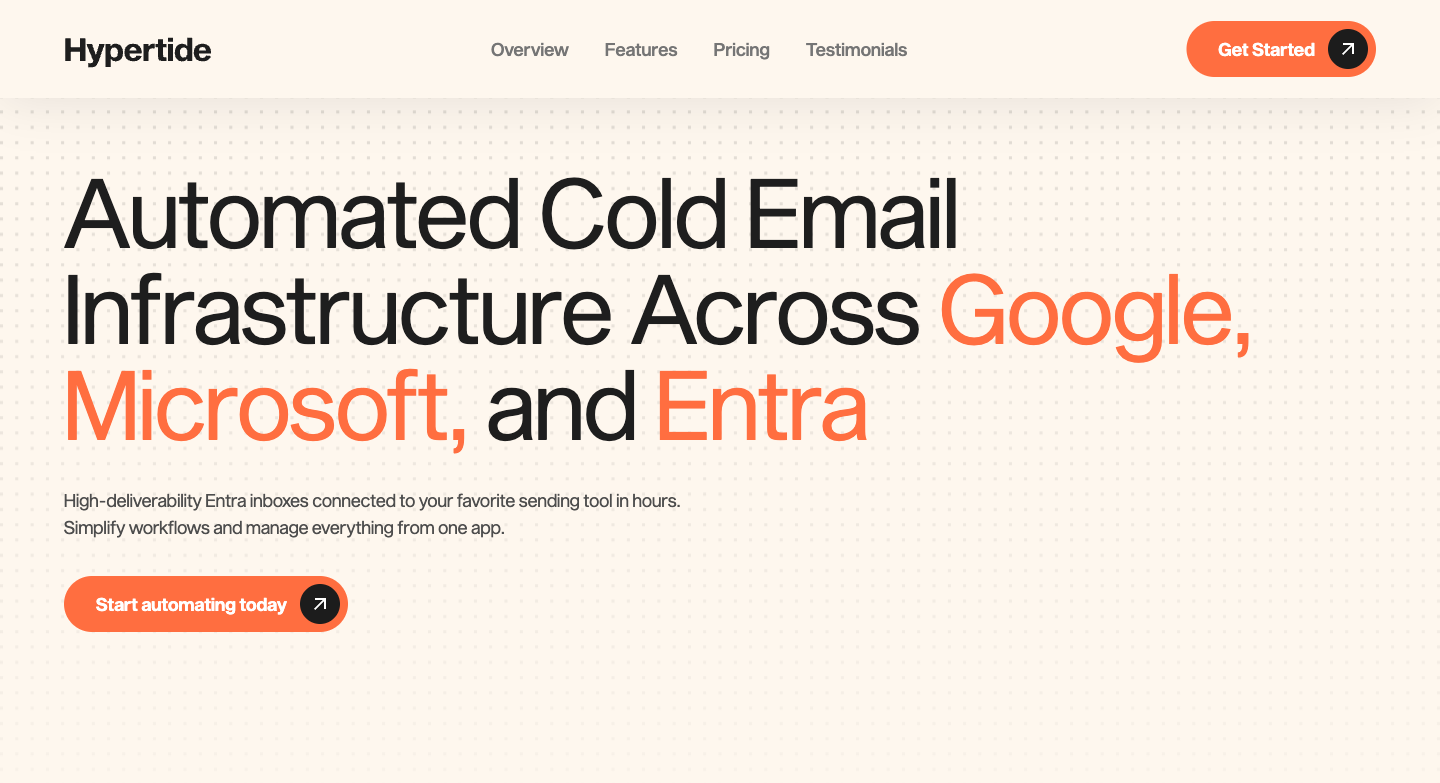
Hypertide’s homepage highlighting Azure/Entra infrastructure with tenant isolation per order.
Hypertide was founded by Omer Mullick (Columbia Business School); it automates Azure/Entra tenant provisioning for cold email. The platform assigns every order its own dedicated tenant with unique domains, IPs, and users. At $0.50 per inbox per month for 100 inboxes, it’s the cheapest dedicated infrastructure available.
Hypertide also has genuine endorsements from cold email practitioners on Twitter. Nick Abraham and Cody Schneider have also recommended Hypertide.
Key Features:
- Dedicated Azure/Entra tenant per order (true isolation, not grouped with other customers)
- 100 Azure inboxes per order (50 per domain, 2 domains)
- Google, Microsoft, and Entra compatibility
- Automated setup in 4-6 hours
- Pre-configured SPF/DKIM/DMARC
- Bulk warmup settings tools (management utilities, not a warmup network)
- Auto-linked to SmartLead, Instantly, Bison out of the box
- $30/domain through Hypertide or bring your own free
- Domain swap for burned domains without penalty
- Month-to-month, cancel anytime from web app
- Native Outlook UI (mirrors standard Microsoft experience)
| Pros | Cons |
| Cheapest dedicated infrastructure at about $0.50/inbox/month recurring | $1,500 implementation fee. Not mentioned on their website. You find out on the demo call |
| True tenant isolation. Every order gets its own Azure tenant with unique IPs | Built on Azure/Microsoft, which is progressively restricting cold email use |
| Endorsed by cold email practitioners on Twitter/X | 5,000 emails/month per order. That’s roughly 2 outbound per inbox per day |
| Automated setup replaces a lot of manual VA work | No deliverability monitoring, no inbox placement tests, no analytics |
| Auto-linked to SmartLead, Instantly, Bison straight away | Zero formal reviews. 0 on G2, 1 on Trustpilot |
| Domain swap for burned domains without penalty | No warmup system. “Bulk warmup tools” are settings management only |
Pricing
One plan: $50/month per order + $1,500 one-time implementation fee.
The $50/month is real and genuinely cheap for dedicated infrastructure. However, the $1,500 implementation fee isn’t listed on the website. You’ll only learn about it on the demo call.
If you’re an agency, you pay the initiation fee once, then add unlimited $50/month orders for all clients. If you want separate logins per client, you pay the initiation fee again per client.
5,000 emails a month per order across 100 inboxes. That’s 50 emails per inbox per month, or roughly 2 outbound per inbox per day. To send 10,000 cold emails a month, you need 2 orders ($100/month). At 50,000 a month, you need 10 orders ($500 a month). The per-email cost works out to roughly $0.01 at scale.
The $1,500 setup fee covers Azure tenant configuration. Microsoft’s infrastructure is cheap to maintain once provisioned, so the recurring fee is only $50. However, there’s no monitoring, no warmup management, no inbox placement testing. It’s infrastructure provisioning at its most stripped-down.
Who it’s best for: Agencies managing 200+ inboxes that have a plan to rotate inboxes.
“Hypertide is dope. American IPs from Microsoft datacenter with 4 hour delivery and API access.” — Nick Abraham, X
The Azure platform risk is the structural concern with all Azure-based cold email providers. It applies to Hypertide and every competitor building on Microsoft infrastructure. Microsoft is progressively restricting the use of cold email on its platform.
Hypertide’s tenant isolation mitigates shared-reputation risk (you’re not grouped with other customers). But it doesn’t protect against Microsoft enforcing policy more broadly. Your entire infrastructure runs on a platform that treats your use case as a policy concern.
Hypertide vs. Mailreef
| Feature | Mailreef | Hypertide |
| Per-inbox cost (monthly) | ~$1.25-4.00 | ~$0.50 |
| Setup/implementation fee | None listed | $1,500 one-time (not disclosed on website) |
| IP architecture | Dedicated (own servers) | Dedicated Azure tenant per order |
| Email providers | Mailreef’s own SMTP | Microsoft Azure/Entra |
| Sending capacity per order | 100K emails/month per server | 5,000 emails/month per order |
| Warmup | Not included | Bulk settings tools only (not a warmup network) |
| Sequencer auto-link | Smartlead, Instantly (SMTP/IMAP) | SmartLead, Instantly, Bison (auto) |
| Deliverability monitoring | None | None |
| Platform risk | Own servers (no platform dependency) | Azure/Microsoft (active restrictions on cold email) |
| G2 reviews | 0 | 0 |
| Twitter/X endorsements | Minimal | Strong |
| Setup time | 2-3 day application process | 4-6 hours automated |
5. Mailforge: Cheapest at Volume, But Even Their Own Team Says “Limited Control”
G2: 4.7/5 (81 reviews) | Trustpilot: 4.1/5 (15 reviews)
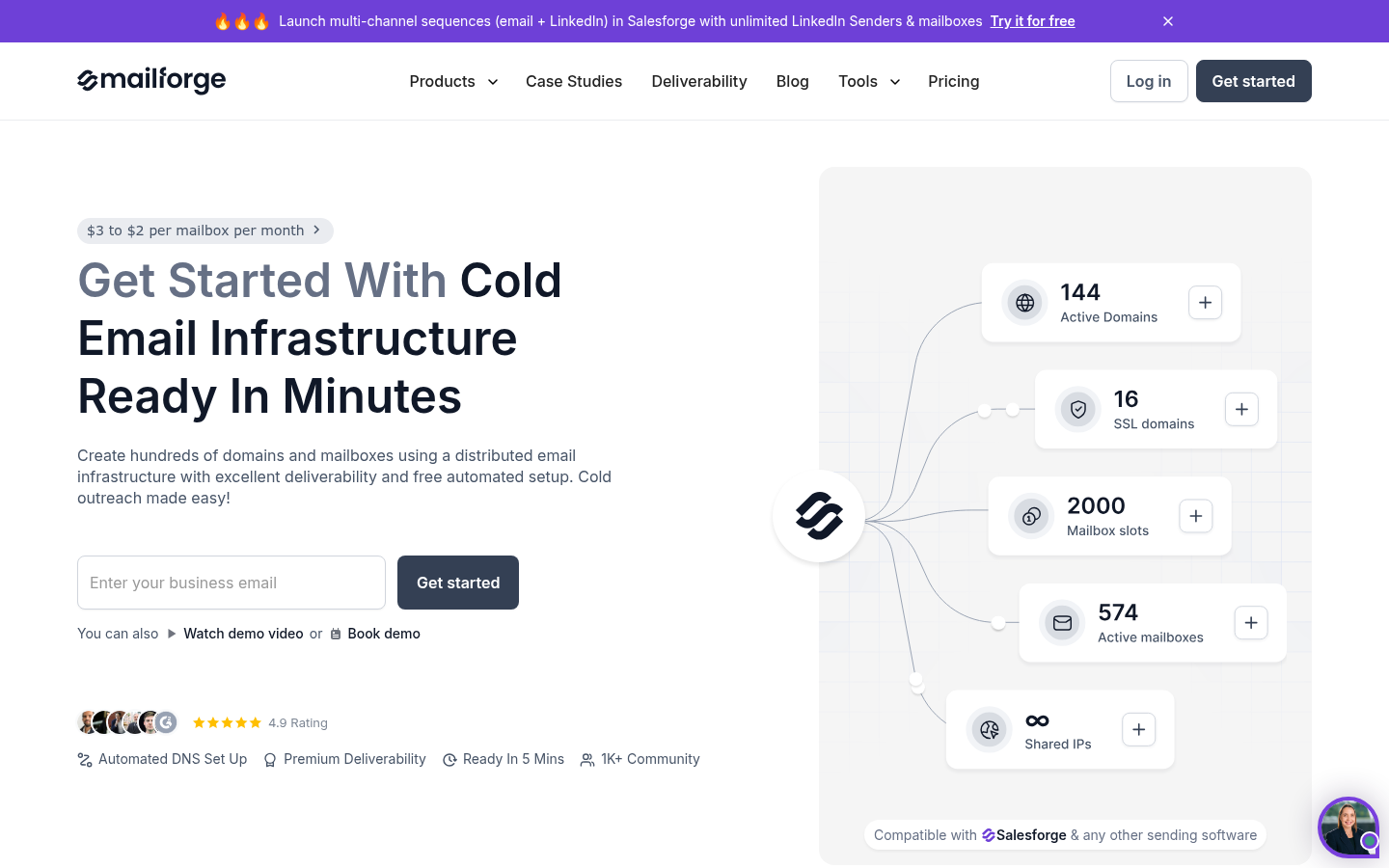
Mailforge’s homepage highlighting $3 to $2 per mailbox pricing and distributed infrastructure.
Mailforge is among the most recognized names in cold email infrastructure. Part of the Forge Stack ecosystem (alongside Salesforge for sequences, Leadsforge for leads, Primeforge for real Google/MS365 mailboxes, Warmforge for warmup, Infraforge for dedicated IPs, and Agent Frank AI SDR), it offers the cheapest per-slot pricing at scale.
Key Features:
- Bulk mailbox creation with automated DNS (SPF, DKIM, DMARC), setup in minutes for hundreds of domains
- Slot-based billing: delete and recreate mailboxes freely within your purchased capacity
- Bulk DNS updates and domain transfers across the platform
- SSL and domain masking add-on ($2/domain/month)
- Forge Expert Double Session: two 1-on-1 consulting calls ($500)
- AI domain name generation based on your main website
- Full Forge Stack ecosystem: leads, sequences, AI SDR, warmup (Warmforge), and real Google/MS infra (Primeforge)
- Domains at $14/year (.com). No contracts, cancel anytime.
| Pros | Cons |
| Cheapest per-slot cost at $2.50/slot yearly or $3.00 monthly | Shared, rotating IP infrastructure. Your deliverability depends on your neighbors |
| 81 G2 reviews with real user feedback | Mass blocking event on Trustpilot: “All 45 mailboxes got blocked in 1 day” |
| Full ecosystem for an all-in-one outbound pipeline | Domain sourcing via Tucows/Enom registrars. Questions about domain quality |
| AI domain name suggestions save time | Their own FAQ admits “limited control” and steers users to a sister product |
| Fast setup with hundreds of domains in minutes | Cancellation requires contacting support via chat. Some reviewers report continued billing |
| No contracts, cancel anytime | Warmup costs extra at $10/slot/month unless you also pay for their sequencer tool |
Pricing
Mailforge uses a slot-based model, where you pay for capacity rather than actual usage. Slots can be reused freely, but you are still billed for the total number you’ve purchased, whether they are active or not.
- $3.00 per slot per month (monthly billing)
- $2.50 per slot per month (yearly billing, roughly two months free)
- Minimum order: 10 slots
- Domains: $14 per year (.com)
Add-ons:
- SSL and domain masking: $2 per domain per month
- Forge Expert Double Session: $500
Example: At 50 slots with 50 domains (yearly billing): roughly $125/month for slots + roughly $58/month amortized for domains = about $183/month total. At 200 slots: roughly $500/month + roughly $233/month domains = about $733/month.
Now, the $2.50 per slot headline looks great until you factor in the full stack.
If you want real Google/Microsoft mailboxes, that’s Primeforge at $4.50/slot.
If you want warmup, that’s Warmforge at $10/slot per month (free only if you’re also paying for Salesforge).
The “cheap” $2.50/slot can become $17/slot if you’re buying the full stack. The Forge ecosystem is designed so that each product naturally leads you to the next one.
The Mailforge infrastructure is shared and rotating. There are no dedicated IPs or servers. You’re in a pool with other senders which keeps per-slot cost low but means your deliverability depends partly on what other users are doing.
Who it’s best for: High-volume teams who want the lowest per-slot cost, are comfortable managing warmup separately, and want to stay within the Forge Stack ecosystem for an all-in-one outbound pipeline.
“All our 45 mailboxes got blocked in 1 day. Disaster for the business.” — Trustpilot reviewer (Feb 2025)
“I tried Mailforge at first but it’s not Google or Microsoft domain emails, that means you’re less likely to reach the inbox. That’s why I switched to their Primeforge instead.” — Trustpilot reviewer (Jan 2026)
Mailforge vs. Mailreef
| Feature | Mailreef | Mailforge |
| Per-slot/inbox cost | ~$1.25-4.00 | $2.50-3.00 (slot-based) |
| IP architecture | Dedicated (own servers) | Shared/rotating |
| Domain cost | $19/domain | $14/year |
| Domain sourcing | Standard registrars | Tucows/Enom |
| Billing model | Flat monthly + per-send | Per-slot (pay for capacity, not usage) |
| Warmup | Not included | Via separate product ($10/slot/mo, free with sequencer) |
| Ecosystem | Standalone | Full stack with multiple sister products |
| Google/MS365 mailboxes | No | Via sister product ($4.50/slot) |
| Mass ban reports | None documented | Feb 2025: 45 mailboxes blocked in 1 day (Trustpilot) |
| Cancellation | Unknown | Requires support chat. Continued billing reported |
| G2 reviews | 0 | 4.7/5 (81 reviews) |
| Trustpilot reviews | 0 | 4.1/5 (15 reviews) |
| Parent company assessment | N/A | Own FAQ says “limited control” |
How to Choose the Right Mailreef Alternative
The right pick depends on which gap you’re trying to fill.
If your problem is cost, run the full math first. Shared IPs mean shared risk. Per-send fees compound. Warmup add-ons stack. Setup fees change the year-one economics. And the cheapest per-inbox price doesn’t always produce the lowest per-result price.
| If you need… | Go with… | Why |
| Managed deliverability with proactive monitoring | Aerosend | Only provider with biweekly IPTs, managed warmup, burn detection, and a deliverability guarantee |
| Cheapest per-inbox cost at high volume | Maildoso | $0.80/inbox at 20K scale. Shared IPs with documented mass blacklisting risk |
| Low-commitment entry point to test cold email infra | Mailscale | $79/mo with 7-day free trial. Shared IPs and no deliverability guarantee after warmup |
| Dedicated infrastructure at lowest recurring cost | Hypertide | $0.50/inbox with tenant isolation. $1,500 setup fee and Azure platform risk |
| Cheapest per-slot with full ecosystem | Mailforge | $2.50/slot yearly. Shared/rotating IPs with documented mass blocking events |
The Bottom Line on Mailreef Alternatives
Mailreef gives you a dedicated server with a dedicated IP. That’s genuine value. RB2B (15% higher reply rates vs Google) and Designity (2x reply rates) have seen stellar payoffs with Mailreef.
Dedicated infrastructure is incomplete without diversification, monitoring, or managed warmup. You’re paying $249 to $743 a month for the added pain of managing everything yourself. The “unlimited” claims are capped at 50 domains, 200 mailboxes, or 100 K emails and the founding team that built one of the largest warmup networks in the world chose not to include warmup in their own infrastructure product.
If you want cheaper infrastructure, Maildoso and Mailforge deliver at lower per-inbox cost, but on shared IPs with documented blacklisting risks.
If you want the cheapest dedicated infrastructure, Hypertide’s $0.50/inbox is unbeatable on recurring cost, but the $1,500 setup fee and Azure platform risk need serious consideration.
If you want infrastructure that actively protects your deliverability with biweekly testing, managed warmup, and a guarantee, Aerosend is the best option that does all of this.
| Tool | Best Use Case | Starting Price | Why It Wins |
| Aerosend | Deliverability-first teams | $120/mo | Only managed deliverability service that owns the outcome |
| Maildoso | Volume at low per-inbox cost | $75/mo | Cheapest SMTP with self-healing and IP rotation |
| Mailscale | Testing cold email infra | $79/mo (7-day trial) | Lowest barrier to entry |
| Hypertide | Dedicated Azure on a budget | $50/mo + $1,500 setup | Cheapest recurring dedicated infrastructure |
| Mailforge | Cheapest per-slot at scale | $2.50/slot (yearly) | Full ecosystem for outbound |
Start with one thing. Check where your current infrastructure actually stands.